
Intel and Apple Silicon
Portable Monitor for MacBook
A 15.6-inch Full HD second display for MacBook Air and MacBook Pro over a single USB-C cable. Matte, light, folds into its own cover.
EUR 150 in Cyprus, 2-year warranty. Works as a display only on macOS (no touch).
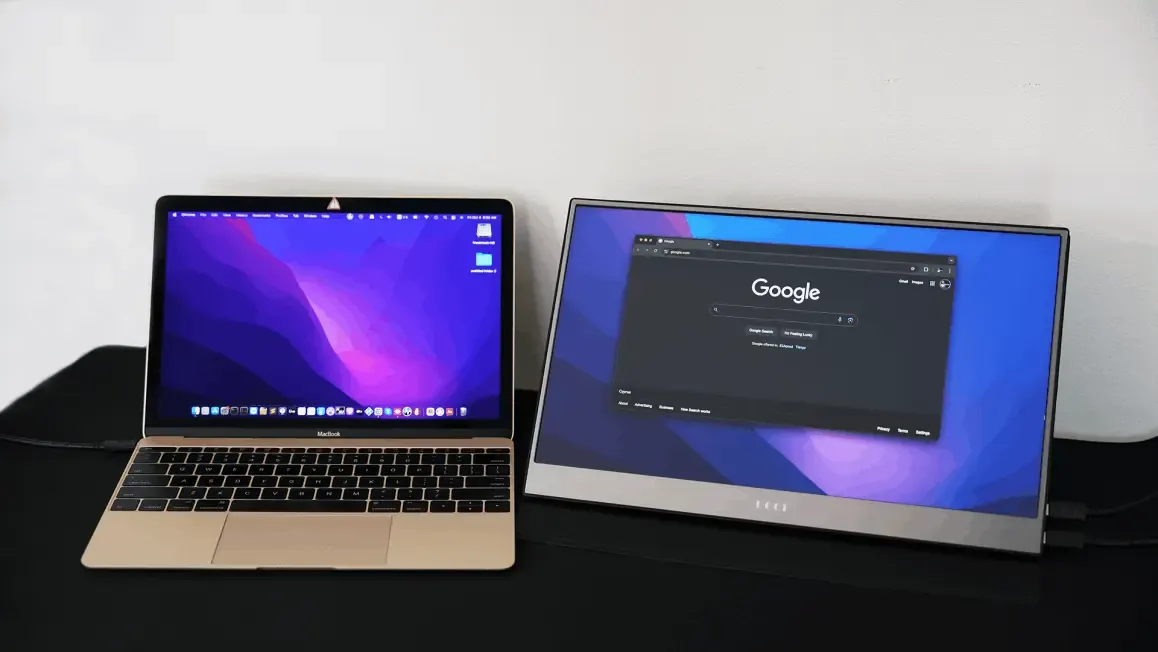
How it connects to a Mac
Every MacBook since 2016 has USB-C ports that carry video. Plug the included USB-C to USB-C cable into the Mac and into the monitor's USB-C port, and macOS adds it as an extended display within a few seconds. The Mac also powers the screen through the same cable.
Older MacBooks with HDMI, and desktop Macs, can use the HDMI cable for video and the USB-A to USB-C cable for power. On a Mac the touch layer is inactive because macOS has no touch support for external screens.
Two settings worth checking
- Refresh rate: 60 Hz. macOS occasionally chooses 75 Hz, which this panel cannot display, and you see black. In System Settings, Displays, hold Option while clicking Scaled to reveal the refresh rate and set 60 Hz.
- Extend, not mirror. In Displays, choose "Extended display" so the monitor adds space instead of copying the laptop screen. To keep one menu bar, turn off "Displays have separate Spaces" in Desktop and Dock settings.
The step-by-step version with screenshots is in the Mac section of the setup guide.
Mac compatibility
| Mac | Connection | Notes |
|---|---|---|
| MacBook Air M1, M2, M3, M4 | USB-C to USB-C | Uses the one external display these chips allow |
| MacBook Pro M-series (Pro, Max) | USB-C or HDMI | Supports several external displays |
| MacBook Pro and Air, Intel (2016 to 2020) | USB-C to USB-C | Thunderbolt 3 ports output video |
| Mac mini, iMac, Mac Studio | HDMI plus USB power, or USB-C | Handy as a small side monitor |
| iPad Pro and iPad Air with USB-C | USB-C to USB-C | Extended display with Stage Manager on M-series iPads; mirror on others |
MacBook questions
Does the portable monitor work with an M1, M2, M3 or M4 MacBook?
Yes. Apple Silicon MacBooks output video over USB-C, so the included USB-C to USB-C cable gives you picture and power on one cable. MacBook Air models with the base M1, M2 and M3 chips support one external display, and this monitor counts as that display.
Can I use touch on a Mac?
No. macOS does not support touch input from external displays, so on a Mac the monitor works as a normal second screen. Touch works on Windows and Android.
Why is the screen black on my Mac?
macOS sometimes picks 75 Hz for this panel, which it cannot show. Open System Settings, Displays, hold the Option key and click Scaled, then choose 1920 x 1080 at 60 Hz. The full steps are in the setup guide.
Does it work with a Mac mini or iMac?
Yes, over HDMI (with the USB-A to USB-C cable for power) or over a USB-C or Thunderbolt port with the USB-C cable.
Order the MacBook portable monitor in Cyprus
EUR 150 including the USB-C cable you need. Pickup in Nicosia or EUR 5 delivery to Limassol, Larnaca, Paphos and Famagusta.