
Home office in a small flat
No room for a desk monitor? Stand the portable screen next to the laptop when you work and put it away in the evening.
Second screen for laptops and PCs
Add a 15.6-inch second monitor to any Windows laptop, desktop PC, MacBook or Chromebook with one USB-C cable. It folds into its cover and travels with the laptop.
EUR 150 in Cyprus, 2-year warranty, cables included.
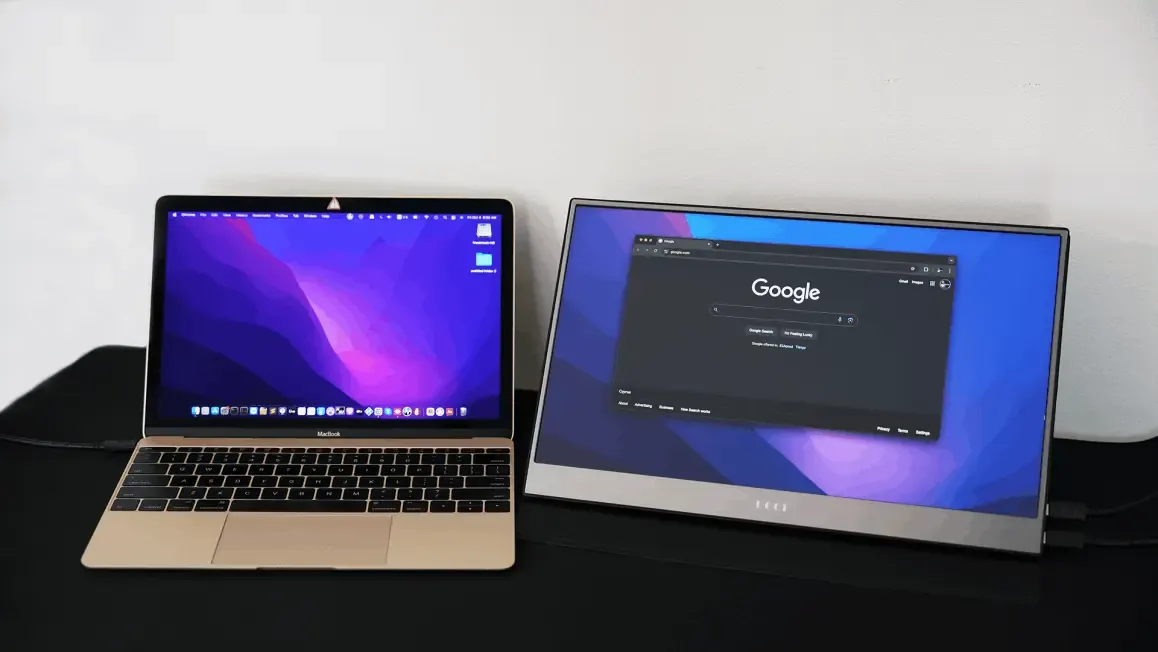
A laptop screen is 13 to 15 inches of space for everything: the document you are writing, the email you are answering, the video call you are on. A portable computer screen doubles that space without a desk, a power socket or a monitor arm. When you pack up, it goes into the same bag as the laptop.
Unlike a desk monitor, this screen draws its power from the laptop's USB port, so a cafe table, a hotel desk or an airport lounge is a two-screen office. Unlike a tablet used as a display, there is no app, no login and no lag: the computer sees it as a normal monitor.
| Laptop | Cable to use | Touch |
|---|---|---|
| Windows laptop with USB-C (Thunderbolt or DisplayPort Alt Mode) | USB-C to USB-C (included) | Yes, 10-point |
| Windows laptop with HDMI and USB-A only | HDMI plus USB-A to USB-C (both included) | Yes, over the USB-A cable |
| Desktop PC | HDMI plus USB-A to USB-C | Yes |
| MacBook Air and Pro (Intel or M-series) | USB-C to USB-C, or HDMI plus USB power | No (macOS limitation) |
| Chromebook with USB-C video | USB-C to USB-C | Yes on most models |
| Linux laptop | USB-C or HDMI plus USB | Yes (kernel HID touch) |
| Steam Deck, ROG Ally | USB-C to USB-C | Yes |
Not sure whether your laptop's USB-C port outputs video? Look for a small DisplayPort or lightning-bolt symbol next to the port, or bring the laptop to our shop in Nicosia and test it.
No room for a desk monitor? Stand the portable screen next to the laptop when you work and put it away in the evening.
Ledger on one screen, source documents on the other, at the client's office in Limassol or Larnaca.
Code on the laptop, live preview or reference on the second screen. Touch is handy for reviewing designs.
Lecture slides on one screen, notes on the other, in the library or at home. Fits in a backpack with the laptop.
A customer-facing touch screen for a catalogue or a sign-up form, powered by the laptop, no cabling to run.
Switch dock, PS5 or Xbox over HDMI with a USB charger for power. A 15.6" 1080p screen in a hotel room.
EUR 150, 2-year warranty, all cables in the box. Pickup in Nicosia or EUR 5 Kronos Express delivery to any town.
See the full specifications or the setup guide.